Terminology
- Container: An instance of a virtualised read-write environment
- Image: A read only definition of a container
Docker containers
A container is a standard unit of software that packages up code and all its dependencies so the application runs quickly and reliably from one computing environment to another.
Containers vs Virtual Machines
Virtual machines virtualize hardware, they emulate what a physical computer does at a low level. Containers virtualize at the operating system level. Isolation between containers that are running on the same machine is still really good. or the most part, each container feels like it has its own operating system and filesystem. In reality, a lot of resources are being shared, but they're being shared securely through namespaces.
Containers share host operating system resources, while maintaining isolation.
Images
Images are read-only definition of a container.
pull an image
docker pull
# e.g

docker pull docker/getting-started
View all images
docker images
``

## Basic commands

**List docker containers**

```console
docker ps
Run a container from image
docker run -d -p 8965:80 docker/getting-started:latest-d: Run in detached mode (doesn't block your terminal)
-p: Publish a container's port to the host (forwarding)
hostport: The port on your local machine
containerport: The port inside the container
namespace/name: The name of the image (usually in the format username/repo)
tag: The version of the image (often latest)
When you docker ps you'll see: 0.0.0.0:8965->80/tcp. This says that port 8965 on your computer is being forwards to port 80 on the container.
Docker container
docker stop  # stops container
docker rm  # removes container
Docker volumes
Docker volumes are like memory cards for containers. Containers are ephemeral, meaning that if you spin up a container, install a new program in that container (for example) and then stop and restart that container, that program will be lost.
This is solved by docker volumes, which are persistent storage that we can attach to docker containers.
Basic volume commands
docker volume create sick-vol
docker volume ls # will list docker volumes
docker volume inspect sick-vol # will contain details about the new volume
Remove all unused volumes
docker volume prune**Stop
Restart docker container
docker restart Networks
Networks are a way to control communication between containers.
Create a bridge network and connect containers
docker network create caddytestList docker networks
docker network lsRun a container without network connectivity
docker run -d --network none docker/getting-started # For exampleAttach container to network
Example when containers need to communicate on the same network, e.g a proxy manager services needing to communicate on the same network as other containers
docker network connect Detach network from container
docker network disconnect Gracefully shutdown container with docker compose
docker stop This can be done from within the project /dir if using docker compose:
docker compose down If the network is attached, use network disconnection above.
Remove all containers within the docker-compose.yml file
For e.g associated services
sudo docker compose down --volumes --remove-orphansRemove docker images
docker images --> list them
docker rmi
Gracefully shutdown container w/out docker compose
docker stop
docker rm
docker network rm  --> if there's a network
Create shell session in container
sudo docker exec -it /bin/bash i makes exec interactive. t gives us a keyboard interface.
Execute shell command
docker exec
docker exec  netstat -ltnp #example that lists ports in use
exit with
exitcommand
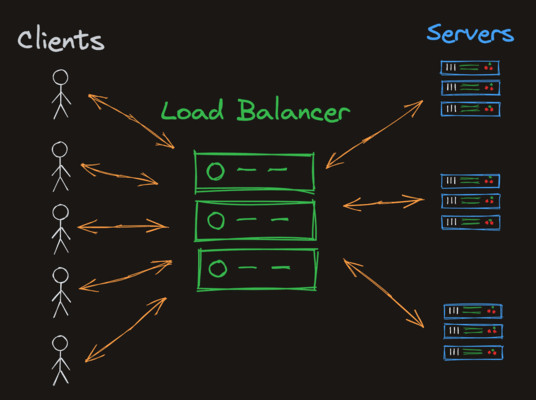
Load balancing with Docker